oritogelAndroid & iOS App
We at oritogel have designed our mobile experience to work across Android phones, iOS devices, and standard web browsers. This page walks through how to access our platform on your phone—whether you choose our Android app, the iOS browser route, or our web version. All three paths lead to the same account, same payment options, and same live-dealer and football markets.

- SHA256 Match
- Update
- and
Mobile-first access matters because most of our users open oritogel during commutes, lunch breaks, or while watching Liga 1 matches from home. We handle your account data with the same care on a 4G connection as on desktop: encrypted login, KYC verification, and deposit confirmation via DANA, e-wallet, mobile banking, local payment, online payment, e-wallet, mobile banking, local payment, online payment, and e-wallet. Your transaction history and betting slips are synced across all devices.
Installing oritogel takes five minutes. This guide covers the Android APK download path, iOS browser access, and web-app installation, plus what to expect after your first login. We also explain how offline cache, push notifications, and data permissions work—so you can decide which method fits your phone and connection speed.
How to access oritogel on your device
Installation steps
-
1
Download oritogel from our link or website
Visit oritogel.app or tap the Android APK button above to start the download to your phone's Downloads folder.
-
2
Open the file and allow installation
On Android, tap the downloaded APK and enable "Unknown Sources" in your security settings if prompted. iOS users tap the link in Safari and add oritogel to the home screen.
-
3
Create your oritogel account
Enter a username, email, and password. We will send a verification code to your email and request KYC documents (ID card or passport) before your first deposit.
-
4
Add a payment method and start
Link DANA, e-wallet, mobile banking, or your bank account. Deposits clear in minutes. You can now access live football, live casino, and slot games on oritogel.
App versus browser: What works best
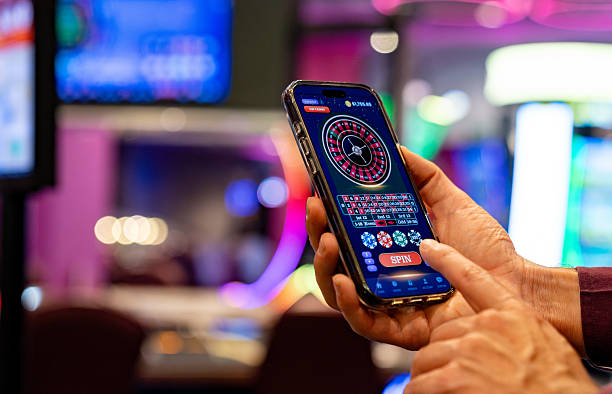
We offer oritogel as both an installed Android app and as a web app you access via browser. The Android APK gives you offline cache so you can see your recent bets and account balance even without internet. The app also sends push notifications when a football match you follow goes live or when your withdrawal clears. Web browsers—on iOS or desktop—work instantly with no installation and update automatically when we roll out new features.
Both paths use the same encrypted connection. Your DANA, e-wallet, mobile banking, and bank account links are stored securely in both. Choose the app if you want offline browsing and notifications. Choose the web version for speed and simplicity. You can use both at the same time on different devices; your account stays in sync.
Supported devices
We support Android 7.0 and newer on phones and tablets. iOS users can access oritogel through Safari, Chrome, or Firefox on iOS 12 and above. If your phone runs older software, we recommend upgrading your operating system or trying the web version on a desktop browser. Most modern phones released in the last four years have no trouble running oritogel.
Troubleshooting common install issues
If the APK does not install, your phone may block downloads from unknown sources. Go to Settings → Security → Unknown Sources and toggle it on. Some Android versions call this "Install Unknown Apps." After allowing installation, try downloading the APK again. If the install still fails, clear your browser cache and download from a fresh tab.
On iOS, the app lives on your home screen as a web shortcut. If it does not save, ensure you have enough storage space on your iPhone and try again in Safari. iOS users in Bandung, Jakarta, Surabaya, and Medan report smooth access via browser; if you experience lag, switch to your phone's Wi-Fi or wait for a stronger 4G signal before logging in.
If you see a certificate warning during login, do not ignore it—but know that oritogel uses a standard SSL certificate. If the warning persists, close the app, clear your browser data (Settings → Safari → Clear History and Website Data), and reopen oritogel. Contact our support team if the warning does not clear; we respond to emails within a few hours.
Your data, permissions, and account safety

The oritogel app and web version both ask for permission to send notifications and store data on your phone. Push notifications tell you when a Piala AFF match starts or your withdrawal completes. Storage permission lets us cache your recent betting slips and balance so the app loads faster offline. You can disable both in your phone's Settings without affecting your account.
We do not sell your location, contacts, or photos to third parties. We collect your email, phone number, ID card image, and bank details only to verify your account and process deposits and withdrawals. All this data is encrypted in transit and at rest. Your password is hashed—we cannot see it, and we cannot reverse it. If you forget your password, we send a reset link to your email, and you choose a new one. We do not store passwords in plain text anywhere.
- KYC verification
- We ask for your ID card and a selfie holding it. This confirms your identity before you can withdraw. We keep this for legal compliance; we do not share it.
- Payment data
- Your local payment, online payment, or bank account number is stored encrypted. We use it only to process your deposits and withdrawals.
- Session timeout
- If you do not use oritogel for subject to verification, we log you out. Your data stays safe; you log back in with your password.
Getting the most from oritogel on your phone
After your first login, check your notification settings in the oritogel app. You can turn on alerts for live matches, deposit confirmations, and withdrawal status. We send notifications only when important things happen—not spam. You can also set a password reminder; we suggest strong passwords with numbers and special characters because they are harder to guess.
If you use data sparingly, the oritogel app caches your main pages (account, betting slips, recent bets) so you can browse when offline. Once you reconnect, all changes sync instantly. Live markets and live-dealer tables need an active connection, so we show a notice if your signal drops during a live blackjack game or a live football match from Liga 1 or Piala Indonesia.
Security reminders for mobile users
- Never share your oritogel password via SMS or email.
- Always log out before handing your phone to someone else.
- Enable fingerprint or face recognition on your phone to lock the screen.
- Download oritogel only from our official website, not third-party app stores.

Why choose oritogel on mobile
Your login, your bets, and your bank details travel over SSL. No one can intercept your data.
DANA, e-wallet, mobile banking, and bank transfers complete in minutes. No waiting for manual review.
Watch live football, place in-game bets, and play live roulette and blackjack with real dealers.
View your account and recent bets without internet. Push notifications alert you to live events.
This guide reflects how we have built oritogel to work on real phones with real conditions—whether you have a strong Wi-Fi signal at home in Jakarta or a patchy 4G connection on the bus to Medan. We test every Android and iOS version before launch and listen to user feedback on payment speed and account security.